How to Make Gemini AI Profile Photo (DP) – 3 Copy-Paste Prompts & Steps
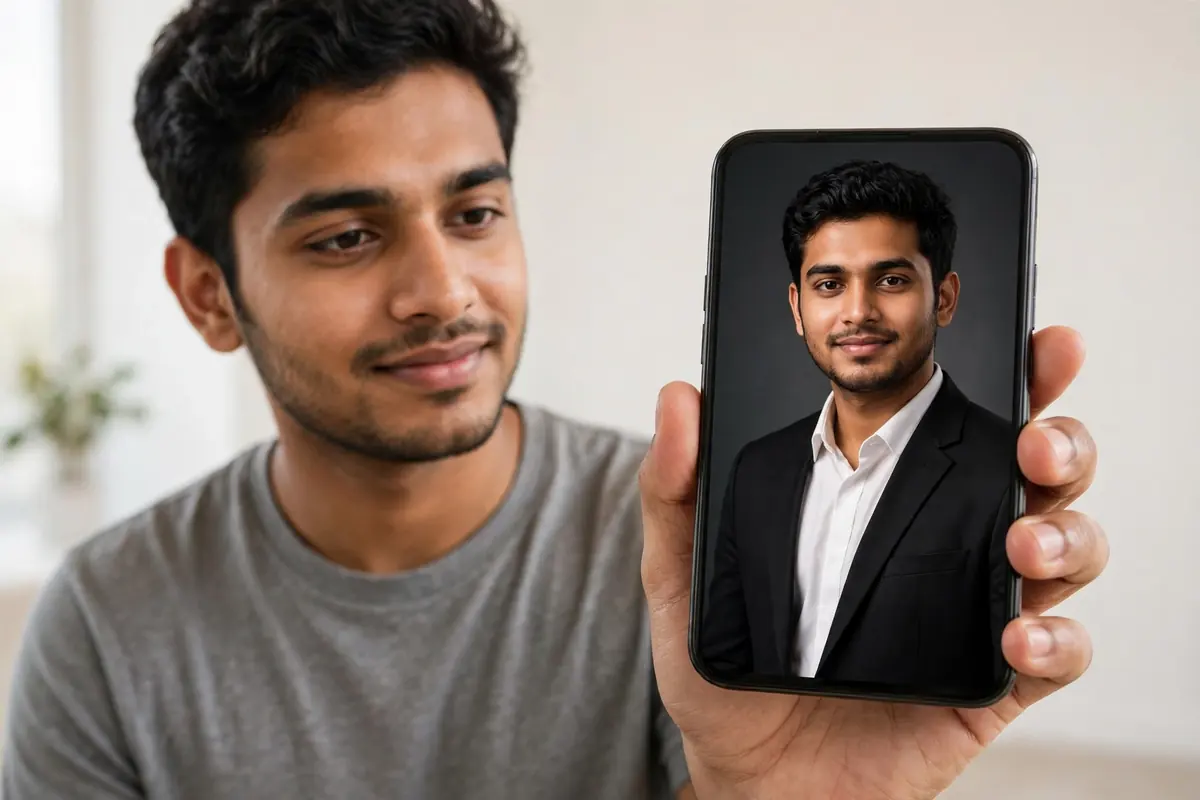
Look at any professional’s WhatsApp or LinkedIn DP and then look at yours. The difference is rarely the person — it is the light, the background and the clothes. Studios charge good money for exactly that. But with the Gemini app on your phone, you can turn one clear selfie into a polished profile photo in about a minute, without paying anything.
This is a complete, honest guide: the exact steps, three ready-to-paste prompts, and two things most other blogs will not tell you — the real free limit, and the watermark truth.
Before You Start: Pick the Right Photo
The AI copies the quality you feed it, so this step decides everything:
- Take or choose a clear, front-facing photo in daylight — face looking at the camera
- No sunglasses, cap or heavy filter on the original
- One person in the frame is best for a DP
- Avoid dark, blurry or very old photos — the result will copy those flaws too
You must be signed in to your Google Account in the Gemini app — image creation simply does not work when signed out. (Also note: editing images requires you to be 18 or older.)
Step-by-Step: Create Your DP in Gemini
- Open the Gemini app (or gemini.google.com on a browser)
- Open the tools menu and tap “Create images” (the banana option)
- Tap the + / Add files button and upload your photo
- Paste one of the prompts below into the text box and send
- In a few seconds your new DP appears — touch and hold the image and tap Save to download it (on the web, hover and choose “Download full size”)
- Not perfect? Stay in the same chat and type a small correction like “make the background lighter” or “keep my shirt colour the same” — Gemini edits the same image instead of starting over
Free accounts download at 1K resolution, which is more than enough for WhatsApp, Instagram and LinkedIn DPs.
Prompt 1 — LinkedIn / Office Look (Studio Portrait)

Turn this photo into a professional LinkedIn profile portrait, keeping my face, skin tone and features 100% unchanged and natural — do not slim, beautify or reshape my face. Dress me in a navy-blue blazer over a crisp white shirt, and place me against a soft light-grey studio background with gentle, even studio lighting. Head-and-shoulders framing, looking at the camera with a calm, confident expression, sharp focus, photorealistic DSLR quality, square 1:1 crop suitable for a profile picture.
Prompt 2 — Content Creator Look (Neon Studio)

Convert this photo into a stylish content-creator profile portrait while keeping my real face exactly the same, with no face change or heavy filters. Keep my hairstyle, add a smart black jacket over a plain t-shirt, and set the scene in a modern studio with soft purple and cyan neon glow in a dark background, slight depth of field. Confident natural smile, cinematic lighting on the face, ultra-detailed and photorealistic, square 1:1 crop for a social-media DP.
Prompt 3 — Traditional Indian Formal Look

Edit this photo into a dignified traditional Indian formal portrait, keeping my face, features and skin tone completely unchanged and recognisable. Dress me in an elegant cream kurta with a deep maroon Nehru jacket, standing against a warm, softly lit festive backdrop with blurred marigold flowers and diyas. Golden-hour light, respectful and graceful mood, shot like a professional studio photograph, square 1:1 crop for a profile picture.
For women readers: in the same prompt, replace the outfit line with: “dress me in a rich maroon silk saree with a gold border and traditional jewellery.”
The Honest Part: Free Limits and Watermarks
About “free”: Many websites claim Gemini gives “100 free images a day.” Google’s own current help page does not promise any fixed number. The free allowance is compute-based — it refills every five hours up to a weekly cap, and making images uses it up faster than chatting. In practice, creating a few DPs is comfortably possible for free; just don’t expect unlimited generation.
About the little sparkle mark: Gemini images carry a small visible sparkle watermark, which you can switch off in Settings → Media watermark. But understand this clearly: every Gemini image also carries an invisible SynthID watermark and C2PA metadata that can never be removed — anyone can upload the image to Gemini and ask whether Google AI made it. Your DP will look clean; the file will always quietly know it is AI-made. For a profile photo, that is perfectly fine — just never misuse such images to fake something real.
If Your Face Looks Slightly Different
- Zoom in and check the eyes, teeth and ears — regenerate if something looks odd; attempt two or three is usually the most natural
- Remove words like “beautify”, “fair skin” or “slim” from prompts — they push the model to change your face
- Go back to a better original photo; no prompt can repair a blurry source
FAQ
Is the Gemini profile photo really free?
Yes, creating and editing images in the Gemini app is free with a Google Account. The allowance is limited (it refills every few hours up to a weekly cap), and higher resolution downloads (2K) need a paid Google AI plan.
Will my face stay the same?
The prompts above are written specifically to protect your face. Results still vary — always compare with your original photo and regenerate if the face drifts.
Can I use the DP on LinkedIn and WhatsApp?
Yes, that is exactly what it is for. Just remember it carries Google’s invisible AI watermark in the file.
Can I edit my friend’s photo for them?
Only with their clear permission — never edit or share someone else’s photo without it.
Want festival-style photos of yourself instead? Try our Chhath Puja Gemini prompts, and if you create videos and posts regularly, see our list of the best free AI tools.

2 Comments