
5 Best Free AI Tools in 2026 You Should Try (100% Free)
A new AI tool launches every week, and almost all of them wear a big “Free” badge. The problem: “free” means something different everywhere. In one place it means a daily allowance; in another, it is a one-time trial that runs out in two days. So for this list, I checked every detail against each tool’s official pricing page, and I have clearly written the real free limit of every tool. No hidden catches.
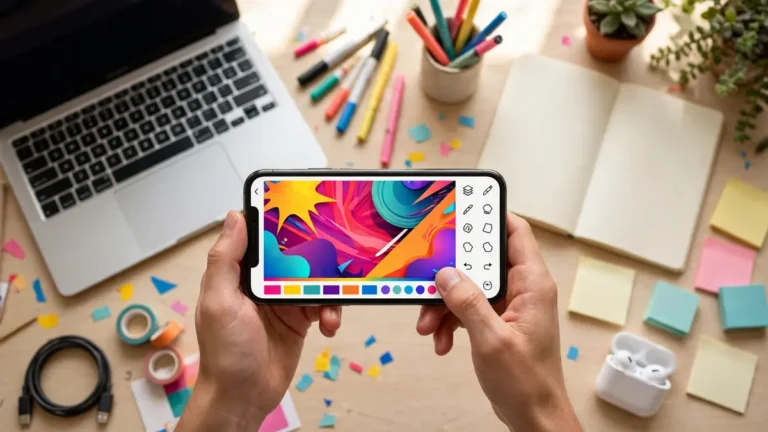
1. Leonardo AI — For Photos and Images
What it does: Creates photo-like images from text, edits your existing photos, removes backgrounds, and upscales small images to make them bigger and sharper.
What is actually free: You get 150 Fast Tokens every day, and they refill daily. How many tokens one image costs depends on the model and size you pick, so the company does not promise a fixed “X photos per day” number — be careful of apps that claim otherwise. Images made on the free plan stay public, and you may use them in your work or business, though you do not get full ownership rights over them.
Best for: Instagram post images, YouTube thumbnail bases, and visuals for blogs and pages.
2. Runway — For AI Videos
What it does: Creates short AI video clips from text or from a photo. Among creators making Reels and Shorts, this is one of the best-known names right now.
What is actually free — honesty matters here: Only 125 credits, given once. They do not refill every month (though they also never expire, so use them whenever you like). With its top model, a single 5-second clip costs around 60 credits, which means the free account gives you roughly two short clips. Free videos also carry a watermark.
The truth: Runway’s free tier is a tasting spoon, not a daily tool. Try it with the free credits; only think about paying if you genuinely like it and your work grows.

3. Gemini Notebook (Earlier Called NotebookLM) — For Study and Research
What it does: You feed it your own PDFs, notes, book chapters or a YouTube lecture — and it answers only from that material, with citations showing where each answer came from. It can also make quizzes, flashcards, and even an Audio Overview that turns your material into a podcast-style conversation you can listen to. For students, this is the most useful free tool on this list right now, because it does not make answers up from thin air.
What is actually free: Up to 100 notebooks, with up to 50 sources in each. Usage is now measured in a compute budget that keeps refreshing every few hours up to a weekly limit — so ignore the old “50 chats a day” numbers floating around the internet; they no longer apply.
Best for: Students, competitive-exam aspirants, and anyone who reads long documents on a laptop. You only need a Google account.
4. Descript — For Voice and Video Editing
What it does: A different kind of editor. Instead of fighting with a timeline, you edit the written transcript — delete a wrongly spoken word from the text, and the audio or video cuts itself. It also has Studio Sound, which cleans up background noise in one click.
What is actually free: Every month you get 60 minutes (1 hour) of recording upload/transcription, in 25 languages including Hindi. Audio export is unlimited; video export is 720p and carries a watermark. Best part — you do not need a card to start the free plan.
5. Otter.ai — For Automatic Meeting Notes
What it does: It joins your Zoom, Google Meet or Teams calls on its own, transcribes the entire conversation live, identifies who said what, and when the meeting ends, gives you a summary along with a list of who has to do what.
What is actually free: 300 transcription minutes per month, with a maximum of 30 minutes per meeting. Two limits to remember — uploading your own recording files is free only for 3 files in your lifetime, and only your 25 most recent meetings stay visible in history.
Summary: How “Free” Is Each Tool, Really?
- Refills daily/monthly: Leonardo (daily), Descript and Otter (monthly) — these genuinely work for regular use
- One-time trial: Runway — taste it first, then decide
- Generous limits: Gemini Notebook — comfortably enough for study work
My simple advice: start with these free limits. The day a tool’s limit actually starts blocking your real work, that is the tool worth paying for. Buying a plan before that point is money wasted.
FAQ
Do I need to know English to use these tools?
No. Descript transcribes Hindi, Gemini Notebook works with your Hindi material too, and for the rest, simple English or an app’s translation feature is enough.
Can I use free images/videos for YouTube or client work?
Leonardo’s free images allow commercial use (without full ownership). Runway’s free videos carry a watermark, so read their terms before using them for a client.
Will any of these ask for my card to start free?
No. None of the five tools in this list needs a card to start the free plan — Descript states this openly in its own FAQ.
6 Comments